
How AI Agent Development Is Changing Enterprise Workflow Automation

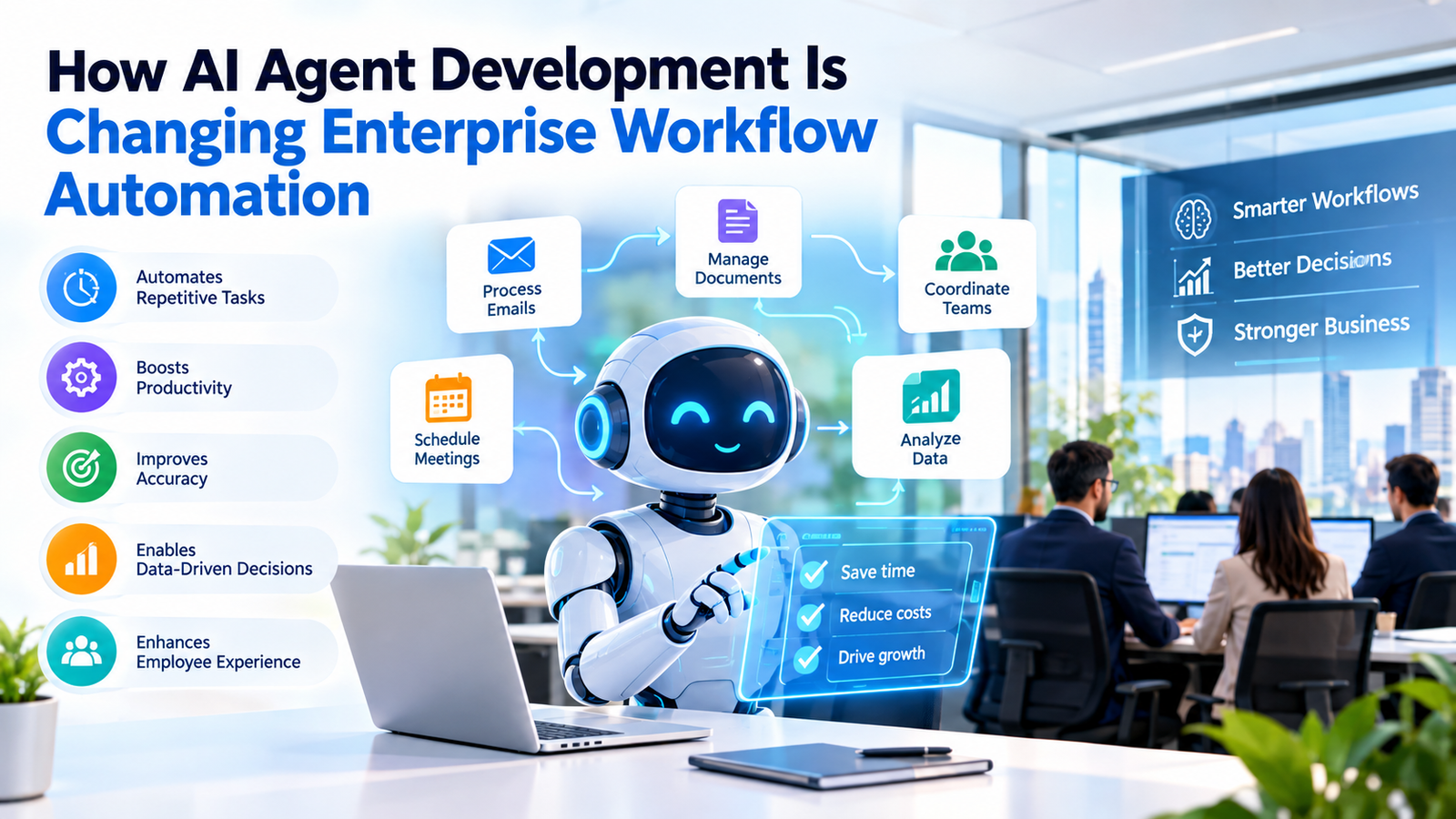
For years, enterprise automation meant rules. If an invoice arrives in this format, route it here. If a ticket contains this keyword, assign it there. That approach works until the input changes, and in a real enterprise the input always changes. AI agent development shifts the model from scripted steps to goal-driven systems that read context, choose actions, and call the tools they need. Instead of following a flowchart, an agent works toward an outcome and adjusts when something unexpected shows up. This article explains how AI agents for business automation differ from older approaches, where they already deliver value, and what a technical team should plan before going live. If you want help scoping a first project, our AI agent development services team can walk you through the options.
What AI Agent Development Means for Enterprise Workflows
AI agent development is the practice of building software that can plan, decide, and act across multiple steps with limited supervision. An agent typically combines a large language model for reasoning, a memory layer for context, and a set of tools such as APIs, databases, and internal applications. This is what people mean by agentic AI: the system does not just answer a question, it carries out a task.
Consider a purchase order exception. A traditional script stops when the quantity on the invoice does not match the order. LLM-powered agents can pull the original order, check the supplier history, compare the variance against a tolerance rule, and either approve the payment or send a clear summary to a finance reviewer. The decision logic lives in the agent’s reasoning and policies, not in hundreds of hard-coded branches.
That is why AI agent development is pushing enterprise workflow automation beyond repetitive data entry into work that once needed a person to interpret the situation. Autonomous AI agents now handle triage, research, reconciliation, and follow-up, all tasks with messy inputs.
RPA vs AI Agents: Key Differences
Robotic process automation still has a place. It is fast and predictable for stable, structured tasks. The gap shows up when the work involves judgment or variation.
| Factor | Traditional RPA | AI agents |
| Decision making | Follows fixed rules and scripted branches | Reasons over context and picks actions toward a goal |
| Adaptability | Breaks when screens, formats, or rules change | Handles new formats and edge cases within set boundaries |
| Data handling | Works best with structured fields | Reads emails, PDFs, chat threads, and tables |
| Maintenance | Frequent script updates after system changes | Prompt, policy, and tool updates, plus ongoing monitoring |
| Scalability | Each new process usually needs a new bot | One agent pattern can extend across related workflows |
Most enterprises end up running both. RPA handles the stable steps, and agents handle the exceptions and decisions. This hybrid pattern sits at the center of intelligent workflow automation and wider enterprise process automation, and well-planned AI workflow automation lets you add agents without replacing systems that already work.
Where AI Agents Are Changing Enterprise Workflows
Five areas show where AI agent development is paying off first.
Finance operations. An agent matches invoices to purchase orders and receipts, flags mismatches, and drafts a query to the vendor. Finance teams review the exceptions instead of every document.
Customer support. Agents read the ticket history, check order status in the CRM, and resolve routine requests such as address changes or refund eligibility. Complex cases reach a human with a summary attached.
Supply chain. A monitoring agent watches shipment delays and stock levels, then proposes a reorder or a reroute.
HR onboarding. An agent collects documents, creates accounts across systems, schedules orientation sessions, and answers new-hire questions about policy.
IT service management. Agents classify incoming tickets, run diagnostic checks, reset access, and escalate with logs when a fix is outside their permissions.
How Multi-Agent Systems and AI Orchestration Work Together
A single agent works well for a narrow task. Larger processes usually need multi-agent systems, where each agent has a defined role: one extracts data, one validates it against policy, one writes to the ERP, and one handles communication.
AI orchestration is the layer that coordinates them. It routes tasks, passes context between agents, handles retries, and decides when to pause for a human. Without it, agents duplicate work or contradict each other.
Good AI agent development keeps each agent’s scope small. Narrow agents are easier to test and simpler to replace. Decision automation works best when every decision has one clear owner, whether that owner is an agent or a person.
Integrating AI Agents With ERP, CRM, and Existing Systems
An agent is only useful when it can interact with the systems where work happens. Integrating ERP and CRM platforms is often one of the more challenging parts of an AI agent development services project, sometimes requiring more effort than model selection itself. Agents need authenticated API access, clearly defined permissions, and reliable mechanisms for reading and updating records.
Start with read-only access, then add write permissions one action at a time. Log every call. Plan for rate limits and timeouts, because agents retry in ways that scripted jobs do not. Our AI integration services cover this groundwork, from API design to connecting agents with the platforms you already run.
Governance, Security, and Human-in-the-Loop Controls
Agents take actions, so any AI agent development effort needs stricter controls than a chatbot does. Define what each agent may read, write, and approve. Apply least-privilege access, keep credentials in a secrets manager, and record every action with its reasoning trace.
Human-in-the-loop checkpoints belong wherever an error is costly: payments above a threshold, changes to customer records, or anything involving regulated data. The agent prepares the decision and a person confirms it. As accuracy data builds up, you can raise the limit on what runs unattended. Test against adversarial inputs as well, since prompt injection through emails or documents is a real risk for any agent that reads outside content.
Challenges to Plan For and How to Handle Them
Teams doing AI agent development run into the same problems again and again. Hallucinated outputs shrink when agents are grounded in company data and required to cite the source record. Costs climb quickly when agents loop, so set step limits and a budget per task. Poor data quality undermines everything, so clean the sources an agent depends on before adding more agents. Evaluation is often skipped, so build a test set from real cases and score every release against it.
When a general model keeps misreading your terminology, domain fine-tuning and retrieval design help, and that falls under LLM development. Finally, start narrow. One workflow with clear metrics teaches more than a broad pilot nobody owns.
Conclusion: Start With One Workflow
AI agent development is moving enterprise workflow automation from fixed scripts to systems that handle judgment, exceptions, and coordination. The practical path is to pick one high-volume workflow, keep people in the loop at the risky steps, and measure the result before expanding. Whether you pursue custom AI agent development in-house or with a partner, the same principles hold: narrow scope, solid integrations, and clear governance. If you need engineers who have built these systems before, you can hire AI developers from CMARIX and begin with a scoped pilot.
The Author





No Comment